
Site Plans
The most common missing sheet, with setbacks.


Permit corrections
Plans sent back with comments? Send us the letter or the marked-up sheets. We revise the drawings to answer each comment, mark every change, and get you ready to resubmit.
Example sheet
A site plan after three review comments were answered. Hover or tap a number to see what changed and how reviewers expect it marked.
Comment 1: the distance from the deck to the rear line, now on the sheet.
Comment 2: the deck now reads “proposed”, so it can’t be mistaken for existing.
Comment 3: so the reviewer can orient and measure the plan.
A numbered triangle beside every change, matching the revision number.
Says this sheet answers the plan review comments.
Only what the comments asked for changes, so the review isn’t reopened.
Sheet number kept, so it replaces the original in the set.
Revision number and date, so the reviewer knows it’s the new version.
Some counties also want changes clouded or a separate list of revised sheets. We follow the way your county asks for it.
Quick answer
Permit corrections are the changes a plan reviewer asks for before approving your permit, sent as a comment letter or as marks on your sheets. To resubmit, the drawings are revised to answer each comment, every change is marked, and a response letter explains where each fix is. Then the reviewer checks it again.
What’s included
A good resubmittal answers the comments and nothing else. The left column is in every correction job; the right is added when your comments need it.
By drawing type
Each type of drawing gets its own kind of comments. Pick yours to see how we usually answer them.
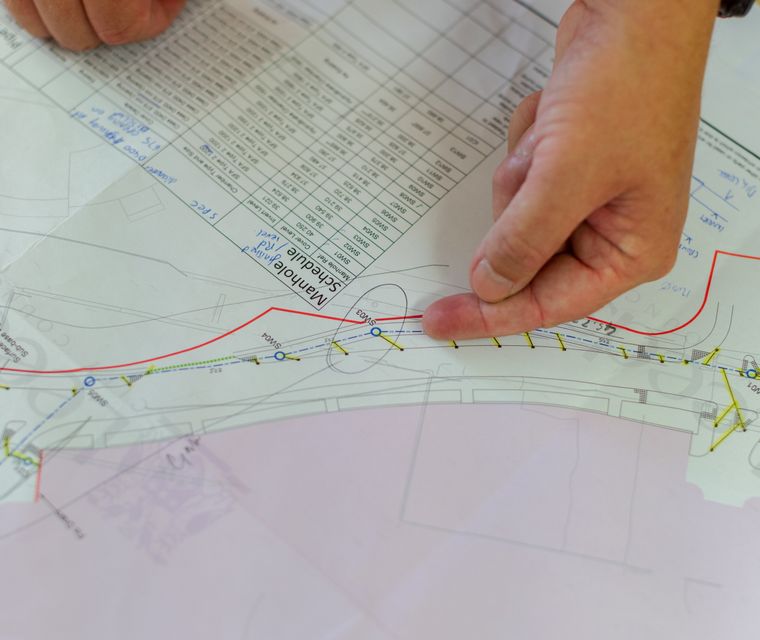
How we answer: add the missing items, mark them, and list each one in the response letter.
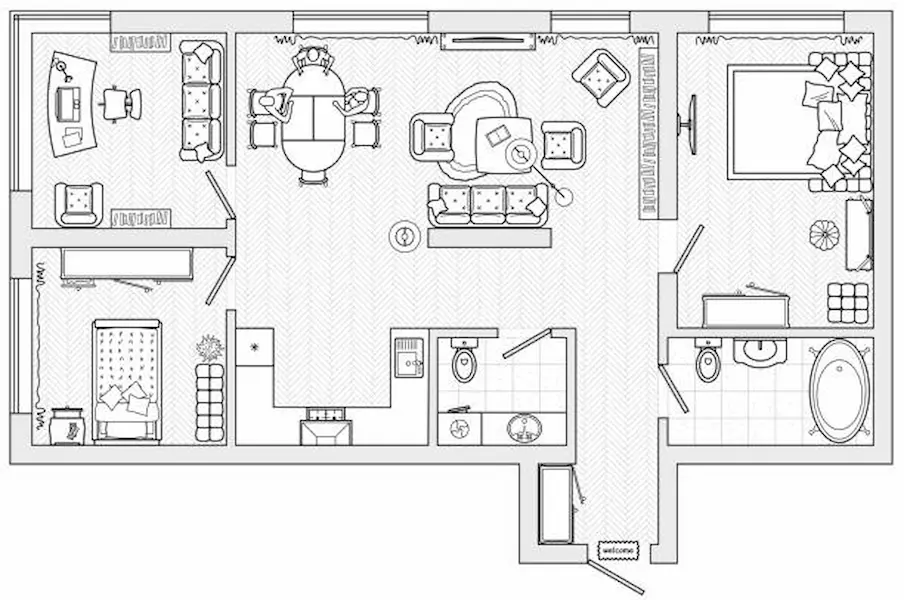
How we answer: update the plan and add a legend or notes where the reviewer asks.

How we answer: coordinate with our licensed engineer partner, who reviews and seals where licensed.

How we answer: show the options: move or resize the work, or show where a variance would be needed.

How we answer: revise the drawings, add elevations or a rendering, and a short cover note.
Also: fire department, utility and public works comments on site plans. Ask about yours
Is this the right drawing?
The fastest route back to the reviewer depends on who has the files and who has the time. Here’s how the options compare.
| Question | Revise with us | Redraw with us | Original drafter | Do it yourself |
|---|---|---|---|---|
| Best when | You have the plans and a comment letter | Files are paper only or badly out of date | They’re available and quick | One small label or note |
| Works from | PDF or CAD, anyone’s | Anything, even paper | Their own files | Whatever you have |
| Changes marked properly | Yes | Yes | Usually | Rarely |
| Response letter | Drafted for you | Drafted for you | Sometimes | You write it |
| Engineer help | Through our PE partner | Through our PE partner | Depends | No |
| Turnaround | Stated in your quote | Stated in your quote | Depends on their schedule | Depends on you |
Not sure what a comment means? Send the letter with your quote request. We’ll explain each comment in plain English before you pay anything.
Resubmittal
A second review is faster when the reviewer can find every answer. We check each resubmittal against this list.
“Was every comment answered?”
A response letter lists each comment number and where the fix is.
“Where are the changes?”
Revision triangles beside every change, and clouds when your county wants them.
“Is this the new version?”
Revision number and date updated on every changed sheet.
“Did anything else change?”
Only what the comments asked for, so the review doesn’t start over.
“Are the sheets still consistent?”
A change on one sheet carried to every sheet it affects.
“Is it sealed if it needs to be?”
Structural changes reviewed and sealed by a licensed engineer when required.
Want drawings that pass first time? Our service pages show what reviewers check for each type of drawing.
Site PlansWhat to send us
Plans drawn by someone else? That’s fine. We work from any PDF or CAD file, and redraw only the sheets that need it.
How it works
Use the quote form or WhatsApp. Two minutes.
We read every comment and reply with the price and turnaround. Nothing starts until you approve.
You get the revised sheets and a response letter draft, ready to upload.
Deliverables & pricing
Corrections are quoted per job, based on your comments. Here’s what you get, and what moves the price.
Free quote. You see the price before we start.
Where we work
Every county words its comments differently. We read yours, revise to its standards, and format the resubmittal the way its portal expects.
Comments that need a licensed professional, like a surveyor’s or architect’s seal, can’t be answered by drafting alone. We tell you in the quote if yours does.
Structural comments
“Provide engineered design” or “plans must be sealed” means a Professional Engineer has to review the work. Our licensed engineer partner can do that in the states where they hold a licence.
We coordinate the engineer and the drawing changes together.
Engineer-Stamped PlansOften ordered together
Sometimes the reviewer asks for a sheet you never submitted. We draw it to match the rest of your set.
The most common missing sheet, with setbacks.
For comments that call for an engineer’s seal.

When the set needs to be rebuilt properly.
Corrections FAQ
Short answers to what people ask before ordering. Ask anything else in your quote request.
Get Price QuoteYes. We work from any PDF or CAD file. With PDF only, we redraw the sheets that need changes so they can be edited.
We draft it: each comment number, what was changed, and the sheet where it’s shown. You review it and submit it with the revised plans.
It depends on the number of comments and the sheets affected. Your quote states the turnaround, set to your resubmittal deadline where possible.
Second-round comments happen, especially on larger projects. How a further round is handled is set out in your quote.
Reviewers often ask for changes to be circled with a bumpy “cloud” line and marked with a numbered triangle, the delta, so they can find each change quickly.
Yes. Send the letter with your quote request and we explain each comment in plain English before you decide.
Structural comments that require a seal go to our licensed engineer partner, in the states where they’re licensed.
You resubmit through your county’s portal, since the permit is in your name. We give you the files and letter ready to upload.