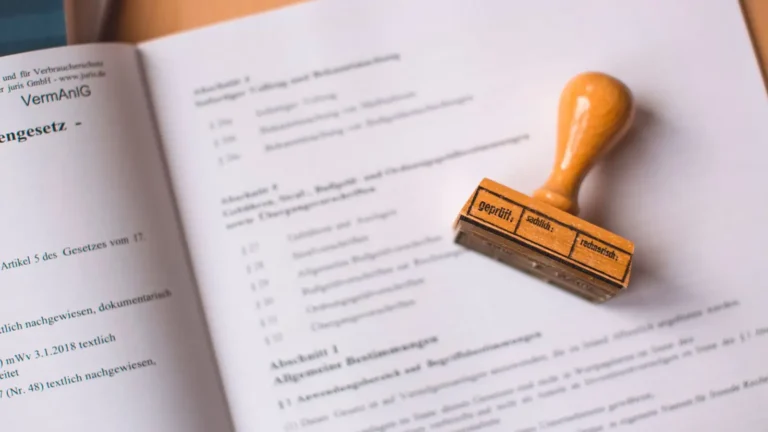

The question of digital vs wet stamp is about how a licensed engineer or architect applies their professional seal to drawings and calculations. A wet stamp is a physical seal pressed onto paper with an original signature. A digital seal is an electronic image of the seal combined with a secure digital signature that can be verified. As permit offices have moved online, digital seals have become standard in most places, but the rules are set state by state and office by office.
Quick answer: A wet stamp is an inked or embossed seal with a handwritten signature on paper; a digital stamp is an electronic seal with a verifiable digital signature on a PDF. Most state engineering and architecture boards permit digital seals, and most online permit portals require them. Some offices still request wet-stamped paper sets, so check local submittal rules.
Digital vs wet stamp at a glance
| Wet stamp | Digital seal | |
|---|---|---|
| Medium | Paper | PDF or electronic file |
| Signature | Handwritten | Cryptographic digital signature |
| Verification | Visual inspection of the original | Software checks the signature and detects changes |
| Copies | Copies are not originals | Each verified file is valid |
| Typical use | Paper submittals, some recording offices | Online permit portals |
For when a seal is needed at all, see our pillar engineer stamp guide.
What a wet stamp is
A wet stamp is the traditional method: the engineer presses an ink stamp or embosser bearing their name, licence number and state onto each sealed sheet, then signs and dates it by hand. The original paper set is the sealed document. Photocopies or scans of a wet-stamped set are copies, which some offices accept and others don’t.
What a digital seal is
A digital seal places an image of the seal on the PDF and applies a digital signature, a cryptographic certificate tied to the engineer’s identity. PDF software shows whether the signature is valid and whether the document has been changed since signing. That makes a digitally sealed PDF more tamper-evident than a scanned wet stamp. A simple image of a seal pasted on a PDF, without a digital signature, isn’t a valid digital seal in most states.
Who sets the rules
- State licensing boards set how seals may be applied, including digital signature requirements.
- Building departments set what they accept for submittals: digital, wet or both.
- Other agencies, such as county recorders, may have their own rules for recorded documents like plats.
Check both the state board rules and the local submittal requirements. Our state pages are a starting point for local permit information.
Why permit offices prefer digital seals
Online portals take PDFs, so scanned wet stamps add a step and lose quality. Digital signatures can be verified automatically and show if a file was altered after sealing. They also make revisions simpler: the engineer re-signs the revised file rather than reprinting and restamping paper.
When a wet stamp may still be requested
- Offices that still accept or require paper submittals.
- Some recording offices for plats and legal documents; see what is a plat.
- Jobsite sets that must carry an original seal.
- Specific agencies or lenders with their own rules.
Common seal problems that cause rejections
- A seal image without a valid digital signature.
- Files edited after signing, which invalidates the signature.
- Expired or out-of-state licence.
- Seal missing from some sheets the engineer is responsible for.
- Seal on sheets outside the engineer’s scope without explanation.
- Flattened or printed-to-PDF files that strip the signature.
For other common rejection reasons, see why building permits get rejected.
Handling digitally sealed files
Once a PDF is digitally signed, don’t edit, combine or “print to PDF” it, because that can break the signature. If the portal requires one combined file, ask the engineer to sign the combined file, or check whether the portal accepts separate sealed files. Keep the original signed files as received. If corrections are needed, the engineer revises and re-signs.
Sealing a partial set
On many residential projects, the engineer seals only the structural sheets or calculations, while the architectural sheets are prepared by a designer or drafter. The set should make clear which sheets carry the seal, often with a note on the cover sheet listing the engineer’s scope. See drawing sheet numbering for organising sheets.
Verifying a seal
To check a digital seal, open the PDF in a reader that shows signatures and look at the signature panel: it shows the signer, the time and whether the document has changed. To check the licence, use the state board’s online licence lookup with the engineer’s name or number.
Electronic signatures vs digital signatures
The terms are sometimes used loosely. An electronic signature can be as simple as a typed name or an image of a signature. A digital signature, in the sense most licensing boards mean, uses a certificate that cryptographically links the signature to the signer and detects any later change to the file. Boards that allow electronic sealing usually require the digital-signature type, so a scanned signature image pasted onto a PDF doesn’t meet the standard.
Revisions and re-sealing
When plan review requires changes, the engineer revises the affected sheets or calculations and seals them again with a new date. The revised sheets should carry revision clouds and deltas; see revision clouds and deltas.
Getting sealed documents
Our engineer-stamped plans service coordinates sealed engineering for residential projects, in the format your building department accepts. Tell us how your office takes submittals, and we’ll confirm the seal format.
Frequently asked questions
Is a digital stamp as valid as a wet stamp?
Where the state board and permit office allow it, yes. A valid digital seal includes a verifiable digital signature.
Can I scan a wet-stamped set and upload it?
Some offices accept scans; many now prefer or require digitally signed PDFs.
Why was my digitally sealed file rejected?
Often because it was edited or combined after signing, which invalidates the signature.
Does every sheet need a seal?
Every sheet the engineer is responsible for, under the state’s rules. Other sheets may be unsealed.
How do I check an engineer’s licence?
Use the state engineering board’s online licence lookup.