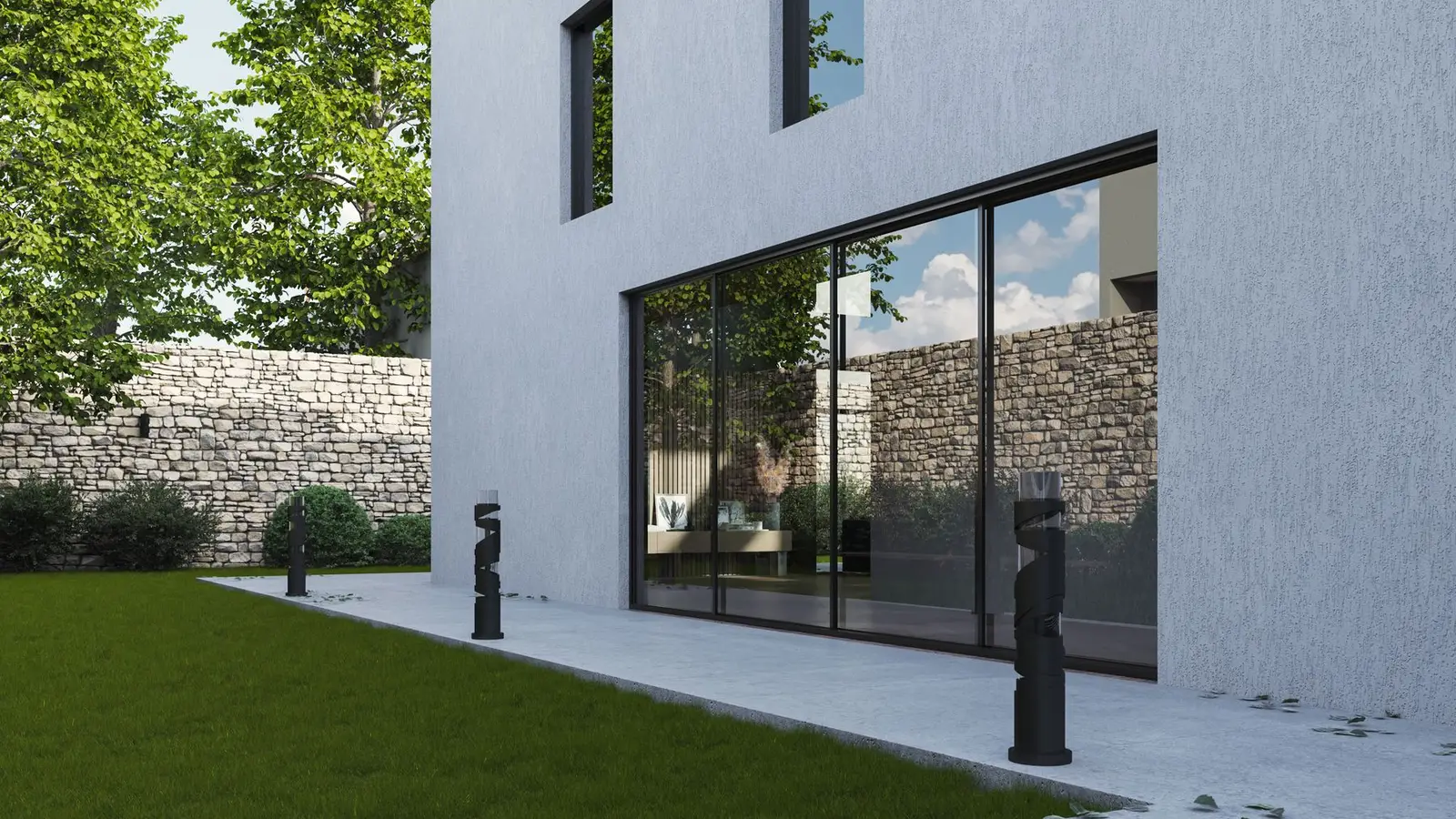

A rendering for HOA approval is a realistic image that shows an architectural review committee what your proposed change will look like on your actual house. Committees judge appearance: style, materials, colours and how the change fits the neighbourhood. Drawings answer the technical questions, but many committee members find it hard to picture a project from elevations alone. A clear rendering, paired with the right drawings, often turns a long discussion into a quick approval.
Quick answer: A rendering for HOA approval should show the proposed change from the street or a typical neighbour’s viewpoint, with accurate materials and colours from the approved palette, realistic landscaping and the existing house as context. Submit it with the site plan, elevations and material list the HOA requires, not instead of them.
Why a rendering for HOA approval works
Architectural review committees are usually volunteer homeowners, not architects. Elevations and plans are precise but abstract. A rendering shows the same design as people will see it. That helps members judge proportions and materials, reduces misunderstandings, and makes it easier to see that a design fits the neighbourhood. Our pillar architectural rendering guide explains rendering types in general, and our guide to HOA architectural review covers the review process.
Projects where a rendering helps most
| Project | Why a rendering helps |
|---|---|
| Additions and second storeys | Shows scale and roofline relative to neighbours |
| ADUs and detached garages | Shows the building in the yard and its visibility |
| Exterior colour or material changes | Shows the actual palette on the house |
| Porches, sunrooms and pergolas | Shows how they attach and look from the street |
| Fences and walls | Shows style and height in context |
| Pools and outdoor living areas | Shows screening and layout from above |
Which views to include
- Street view: eye-level from the sidewalk or street, showing what the neighbourhood sees.
- Neighbour view: from the side or rear, if the change is visible from adjacent lots.
- Before and after: the existing house photo and the rendering from the same position; see before-and-after renderings.
- Aerial view: for site layout changes such as ADUs or pools.
Two to four well-chosen views are usually enough. More views add cost without adding clarity.
Showing materials and colours honestly
Use the actual products and colours you plan to build with, ideally from the HOA’s approved palette, and name them in a legend beside the image. Avoid dramatic sunsets or heavy filters that change how colours look. Committees appreciate a neutral daylight view, and an honest image builds trust if questions arise later.
Realistic landscaping and context
Show existing trees and neighbouring houses where they matter, and new planting at a realistic size, not full maturity. If the change will be partly screened by trees, say whether those trees are on your property and will remain. Over-idealised landscaping can backfire if the committee feels misled.
What to submit with the rendering
- The HOA application form.
- A site plan with distances to lot lines.
- Elevations with heights and materials.
- A material and colour list, with samples if required.
- Product sheets for prefab items such as sheds or fences.
- Neighbour sign-offs if required.
The rendering supports these documents; it doesn’t replace them.
Presenting at a committee meeting
If you present in person or online, open with the street-view rendering, explain the project in a few sentences, then show the site plan and elevations for detail. Bring material samples if colours are important. Be ready to discuss alternatives the committee might suggest, such as a different colour or a lower roofline, which can often be shown quickly as a revised rendering.
Responding to committee feedback
If the committee asks for changes, a rendering makes it easier to show the revised design. Changing materials or colours on an existing model is usually quick; changing the building’s shape takes longer. Resubmit with the updated rendering alongside revised drawings.
Renderings for neighbours
Showing neighbours the rendering before submitting can head off objections. Many concerns, about height, privacy or appearance, ease when people see the actual design rather than imagining the worst. Include a view from their side if they are most affected.
Common mistakes
- Rendering a design that doesn’t match the submitted drawings.
- Using colours not on the approved palette.
- Showing only flattering angles and hiding the most visible side.
- Mature landscaping that hides the building unrealistically.
- Submitting a rendering without a site plan or elevations.
Showing alternatives
If you aren’t sure which option the committee will prefer, a rendering can show two variations side by side, for example two colour schemes or a gable roof versus a hip roof. Offering a choice within the guidelines can make approval easier, because the committee feels involved. Keep the number of options small, and make sure each one is fully compliant.
Timing your submission
Many committees meet monthly with a submission deadline a week or two before. Plan the rendering so it is ready before the deadline, with time for one round of your own changes. If the HOA requires neighbour signatures, show neighbours the rendering early, since their sign-off may be needed with the application.
Renderings for historic and design review
Historic commissions and city design review boards use renderings in a similar way, often with stricter expectations about context: neighbouring buildings, streetscape and materials. A street-level view showing the project between its neighbours is especially useful.
Getting a rendering for your HOA application
Our 3D renderings are built from your plans or our drawings and can include before-and-after views from your own photos. If you also need the site plan and elevations for the application, we can prepare the full package.
Frequently asked questions
Does my HOA require a rendering?
Most don’t require one, but many committees find it helpful, especially for additions and visible changes.
Can a rendering replace elevations for the HOA?
Usually not. Committees typically need scaled drawings as well.
What view is best for HOA approval?
An eye-level street view showing what neighbours will see, plus a before-and-after pair for additions.
Should I show landscaping in the rendering?
Yes, realistically: existing trees and new planting at installed size.
Can I use the rendering for my building permit?
Only as supporting material; permits need scaled drawings.